
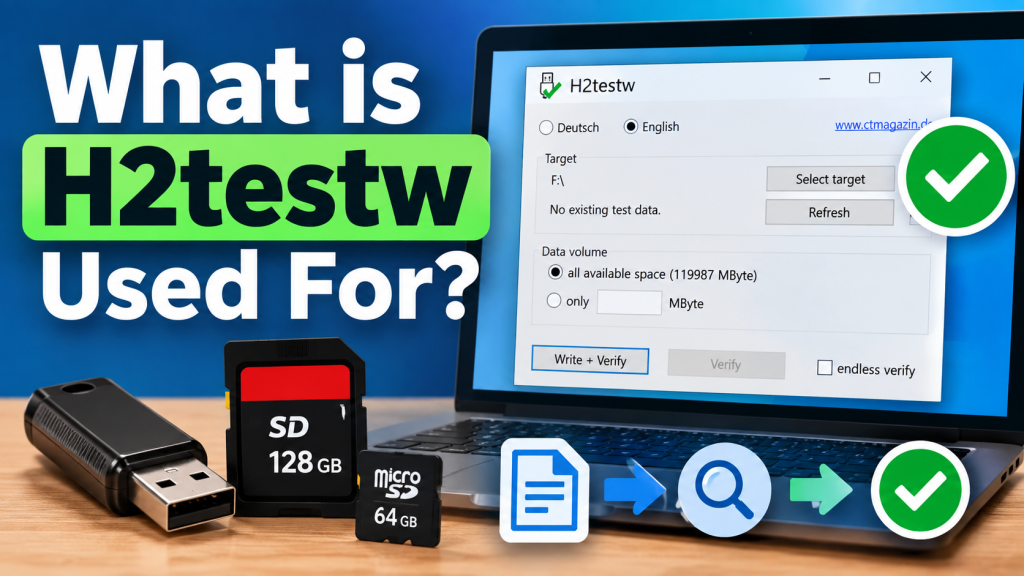
H2testw is a simple storage-testing utility that checks whether a USB flash drive, SD card, microSD card, or similar storage device can actually use the capacity it claims. It is especially useful when a newly purchased drive looks suspicious, or you want to verify it before storing important files.
Instead of trusting the storage size Windows displays, H2testw performs a practical write-and-read test. It fills available space with test data and then reads that data back to check for errors, corruption, or missing capacity. This makes it useful for identifying fake and unreliable storage devices.
What Does H2testw Actually Do?
The main purpose of H2testw is to verify usable storage space. A flash drive may appear as 64 GB, 128 GB, or even larger in Windows, but that displayed figure alone does not prove that the physical memory inside the device really provides that much storage.
H2testw writes test files across the selected free space and later verifies them. If the files can be read back correctly, the tested area is usable. If part of the written information becomes corrupted or cannot be verified, the program reports errors that can indicate defective or falsely advertised storage.
Why Is H2testw Useful for Storage Testing?
Counterfeit storage devices can be modified to report a much larger capacity than they physically contain. For example, a low-capacity flash drive may be programmed to appear as a much larger drive when connected to a computer. Problems usually become noticeable only after enough data has been stored.
This is where H2testw becomes valuable. Instead of waiting until personal photos, videos, backups, or work files disappear, users can test the device beforehand. A complete write-and-verify test can reveal whether the advertised free space can genuinely store and return data correctly.
Common Uses of H2testw
H2testw is not limited to checking one type of device. It can be useful whenever you need to verify writable storage space, especially with removable flash memory.
Common reasons for using H2testw include:
- Checking the real usable capacity of a USB flash drive
- Testing SD and microSD cards after purchase
- Detecting storage devices with falsely reported capacity
- Finding read or write errors on questionable media
- Testing whether stored data can be read back correctly
- Checking a drive before using it for important files
These tests are particularly helpful for newly purchased storage from unfamiliar sellers. Even a device that appears normal during basic file copying may have problems that only become visible once a larger portion of its reported capacity is used.
How H2testw Finds Fake Storage Capacity
H2testw does not simply ask Windows how large a drive is. It tests storage by actually writing data into the available space. Once the writing stage is completed, the software reads the created test files and compares the returned information with what was originally written.
A fake-capacity device may accept file-writing commands even after its real physical memory has been exhausted. Data written beyond that point can become corrupted, disappear, or overwrite previously stored information. A full write-and-verify process helps expose this type of capacity manipulation.
H2testw for USB Flash Drives
USB flash drives are one of the most common devices tested with H2testw. A user can select the USB drive as the target and choose to test all available space. The program then creates test files until the selected amount of free storage has been used.
Afterward, H2testw verifies those files. Successful verification means the tested area was written and read correctly. Errors may point to a faulty drive, corrupted storage, or fake capacity, although test results should always be interpreted alongside the condition of the device and connection.
H2testw for SD and microSD Cards
H2testw can also be used to verify SD and microSD cards connected to a Windows computer through a compatible reader. This is useful for cards intended for cameras, phones, security cameras, gaming devices, dashcams, or other equipment where reliable storage is important.
For the most meaningful capacity check, users normally test all available space. Important existing files should be backed up first. Although H2testw works by creating test files in available space, testing questionable or defective media always carries some risk of data corruption.
Understanding Successful and Failed Results
When H2testw completes its write and verification process without finding mismatched data, it can report that the test finished without errors. This indicates that the space included in that particular test successfully stored and returned the written test data.
A result containing corrupted data, lost data, or verification errors requires more attention. Such errors may indicate failing flash memory, an unreliable connection, file-system problems, or falsely reported capacity. Important information should not be trusted to a drive that repeatedly fails a complete verification test.
Does H2testw Guarantee a Drive Is Perfect?
A clean H2testw result is useful evidence that the tested storage space worked correctly during the test, but it is not a lifetime guarantee. Storage devices can still fail later because of wear, physical damage, controller problems, or other hardware issues.
H2testw also does not confirm whether a product came from an authorized seller or whether it will remain reliable for years. Its main strength is verifying writable capacity and detecting data errors during testing, especially when fake capacity or an initial defect is suspected.
Conclusion:
H2testw is a practical tool for checking whether USB drives, SD cards, microSD cards, and other storage devices can genuinely use the capacity they report. By writing test data and reading it back, it provides a stronger verification method than simply checking the drive size shown by Windows.
For anyone buying removable storage, especially from an unfamiliar source, running a full capacity test can help identify problems before valuable files are stored on the device. H2testw cannot prevent every future failure, but it can help expose fake capacity, corruption, and unreliable storage at an early stage.