
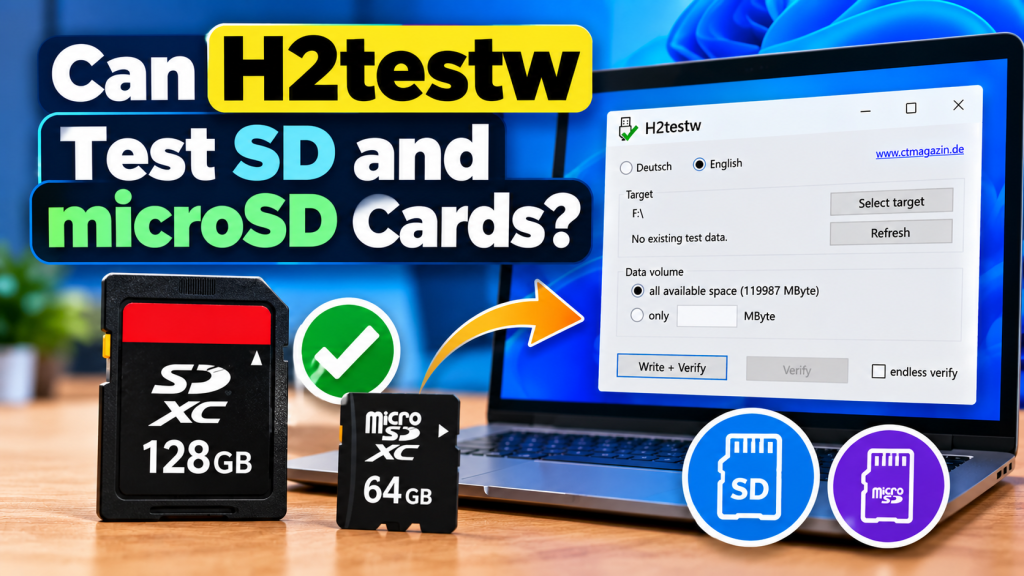
H2testw can test both SD and microSD cards to check whether their advertised storage capacity is actually usable. The software writes test data across the available space and then reads it back, helping users identify corrupted memory, fake capacity, or other storage problems before trusting the card with important files.
This makes H2testw useful for memory cards used in cameras, smartphones, dashcams, drones, gaming devices, and other electronics. A card may appear normal in Windows while still containing defective or falsely reported storage, so a full write-and-verify test provides a much stronger check than simply viewing its listed capacity.
Does H2testw Work With Both SD and microSD Cards?
Yes. H2testw can test standard SD cards as well as microSD cards when Windows recognizes them as writable storage. A microSD card normally needs to be connected through a compatible card reader or SD adapter before H2testw can access it.
Heise has repeatedly used H2testw to test both SD and microSD products, including counterfeit cards with misleading capacities. In one documented case, a supposed 128 GB microSD card failed after only a few gigabytes had been written.
Why Test a Memory Card With H2testw?
Memory cards can fail because of damaged flash memory, poor manufacturing, or fake-capacity firmware. A counterfeit card may report 128 GB, 256 GB, or more while containing far less physical storage.
H2testw checks whether the claimed space can actually store and return data. This is especially useful for newly purchased cards, because discovering a problem before using the card in a camera or phone can prevent valuable photos, videos, and documents from being lost.
What You Need Before Starting
Before testing, connect the memory card to your Windows computer using a reliable card reader. Make sure Windows detects the card and assigns it a drive letter so you can identify it correctly inside H2testw.
It is also wise to back up anything important before beginning. For the clearest capacity test, an empty card is preferable because H2testw can then check more of the available storage without existing files taking up space.
How to Test an SD Card With H2testw
Testing an SD card follows almost the same process as testing a USB flash drive. Once the card appears in Windows, launch H2testw and select the card’s drive letter as the target.
The basic process is:
- Insert the SD card into a compatible reader.
- Open H2testw on your Windows computer.
- Select the correct target drive.
- Choose all available space for a full test.
- Click Write + Verify.
- Allow both stages to finish.
- Review the final result for errors or corruption.
Using all available space allows H2testw to examine nearly the entire usable capacity instead of testing only a small portion of the card.
How microSD Card Testing Works
A microSD card is tested in the same general way. Once the card is connected through a reader or adapter, H2testw treats it as a normal storage volume and writes test files into its free space.
After writing, the program reads those files back and compares the data. Heise documented a counterfeit microSD card where more than 29 GB could not be read back correctly, clearly exposing that the card was unreliable.
Can H2testw Detect Fake Memory Cards?
H2testw is particularly useful for detecting fake-capacity SD and microSD cards. Some counterfeit cards have modified controllers that report a larger capacity to Windows than the amount of flash memory physically installed.
When H2testw writes beyond the card’s real storage limit, verification errors may begin to appear. Heise has documented fake cards where failures started after approximately 4 GB, 8 GB, 16 GB, or 32 GB despite much larger advertised capacities.
What Does a Successful Test Mean?
If H2testw completes the full write-and-verify process without errors, it means the tested space successfully stored and returned the generated data during that test. This is useful evidence that the card’s tested capacity is functioning properly.
Heise reported, for example, that a 2 TB microSD card completed H2testw capacity verification after a lengthy test. This demonstrates that the program can also be used with genuine high-capacity memory cards.
What If H2testw Finds Errors?
Errors do not automatically prove that a card is counterfeit. A damaged memory card, faulty card reader, poor adapter, unstable USB connection, or worn flash memory can also cause verification problems.
If errors appear, try another reliable reader or USB port and repeat the test. If the same failures return at similar storage points, avoid using the card for important files and consider returning or replacing it.
How Long Does an SD Card Test Take?
Testing time depends on the capacity and speed of the card, as well as the performance of the card reader. Smaller, faster cards can finish much sooner than large cards with slow sustained write speeds.
High-capacity cards may require many hours. In one Heise test, completely writing a 2 TB microSD card with H2testw took almost 13 hours before verification confirmed its full capacity.
Is a Full Test Better Than a Quick Test?
A full test is generally better when your goal is to confirm the complete advertised capacity. Testing only a small amount could miss problems that begin after the card’s genuine storage limit has been exceeded.
A partial test can still be useful for a quick initial check, especially on extremely large or slow cards. However, it should not be treated as proof that the entire card is healthy or that every advertised gigabyte is genuine.
Conclusion:
H2testw can test SD and microSD cards by writing data across their available storage and verifying that the same information can be read back correctly. This makes it useful for finding fake capacity, damaged memory, and other problems that may not be visible through Windows alone.
H2testw is especially valuable when checking a newly purchased memory card before using it for important photos, videos, backups, or recordings. A successful full-capacity test provides useful confidence, while repeated errors are a strong reason to stop trusting the card.