
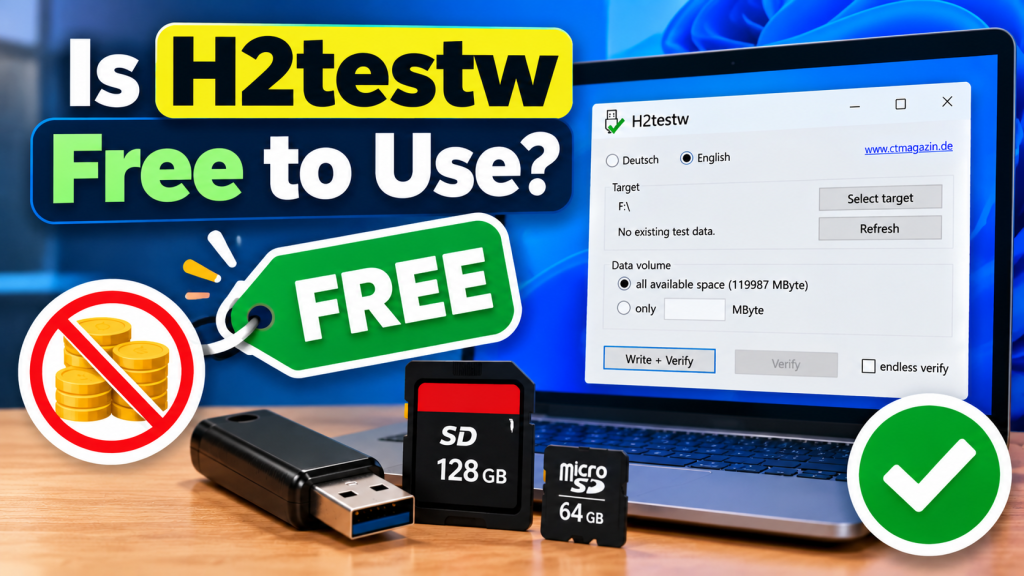
H2testw is free to use and does not require users to purchase a subscription or pay a license fee before testing their storage devices. The software is designed for Windows and is commonly used to check USB flash drives, SD cards, microSD cards, SSDs, and other storage media for errors or suspicious capacity.
For users who only need a simple way to verify removable storage, this makes H2testw an accessible option. The official Heise download page currently lists H2testw 1.4 as free software, while older Heise documentation identifies it as proprietary software distributed at no cost.
Do You Have to Pay for H2testw?
No payment is required to download and use H2testw from its established Heise source. There is no paid edition that users must unlock to perform the normal write-and-verify storage test, and the tool does not require a recurring subscription.
This is useful for people who only occasionally need to test a new USB drive or memory card. You can keep the utility on your Windows computer and launch it again whenever you need to verify another compatible storage device.
Is H2testw Freeware or Open Source?
H2testw is often described as freeware because it can be downloaded and used without payment. However, free software in the price sense should not automatically be confused with open-source software, where source code is made available under an open-source license.
Older Heise material specifically describes H2testw 1.4 as proprietary software under an EULA while also listing its price as free. In other words, users can use the program without buying it, but that does not mean they automatically receive open-source rights to modify or redistribute its code.
Are There Any Subscription Charges?
H2testw does not use the subscription model common with many modern utilities. You do not need to create a monthly or yearly plan simply to run a storage-capacity test with the standard H2testw program obtained from Heise.
The software is also portable, which means it does not require a traditional installation. Heise explains that users can launch the executable, choose the drive they want to test, and begin using the application directly.
What Features Are Available for Free?
The main H2testw functionality is available without payment. Its core job is to write test data to free storage space and then verify that the data can be read back correctly, helping users discover storage errors or misleading capacity information.
With the free utility, users can generally:
- Test available space on supported storage devices
- Write verification files to the selected drive
- Read the files back for comparison
- Check USB flash drives for suspicious capacity
- Test SD and microSD cards
- Identify data errors during verification
- View basic test results and transfer information
These features are enough for the program’s main purpose. H2testw is not positioned as a large commercial storage-management suite with different paid feature levels or premium testing packages.
Why Is a Free Tool Useful for USB Testing?
A fake USB drive can report a larger capacity to Windows than the amount of physical memory actually available. This problem may remain hidden during normal use until the user copies enough files to exceed the device’s genuine capacity.
H2testw addresses this by writing data into the available space and then verifying it. Because the utility itself is free, users can perform this type of capacity check without purchasing specialized testing software before trusting a new flash drive with important files.
Can You Use H2testw More Than Once?
H2testw is not limited to a single test. After downloading and extracting the program, you can keep it in a folder and launch it whenever another storage device needs to be checked.
This can be especially helpful for users who frequently buy memory cards, USB drives, or other removable storage. Each device can be selected separately, allowing you to perform a fresh write-and-verify process when needed.
Does Free Mean There Are Ads?
The original H2testw utility is a small portable application focused on storage testing rather than advertising or account-based services. Heise currently lists its download size at only about 213 KB, showing how lightweight the utility is compared with many modern desktop applications.
Users should still pay attention to where they download the program. Third-party websites may add their own pages, advertisements, download buttons, or bundled installers, but these should not be confused with features of H2testw itself.
Is There a Free Trial Limit?
H2testw does not operate like trial software that stops working after a certain number of days. Its normal testing functionality is available without requiring a trial activation, product key, or later purchase from the Heise download source.
That means users do not need to rush through a test before a trial period expires. The program can remain available on the computer for future storage checks as long as it continues to work properly with the user’s Windows environment.
Should You Still Download H2testw Carefully?
Yes. The fact that H2testw is free does not mean every website offering a file with the same name should automatically be trusted. A safer approach is to use an established source such as Heise rather than downloading an executable from an unfamiliar file-sharing page.
Also remember that H2testw writes files to the storage device being tested. Important data should be backed up before testing suspicious media because an already defective or counterfeit drive may behave unpredictably when large amounts of data are written to it.
Conclusion:
H2testw is free to use for its core storage-testing purpose, with no normal subscription fee or paid upgrade required to perform write-and-verify tests. It provides a straightforward way to check USB drives, SD cards, microSD cards, and other storage media without purchasing commercial testing software.
H2testw is best treated as a free proprietary utility rather than assuming that “free” means open source. Downloading it from a reputable source and backing up valuable files before testing can help users take advantage of the tool while reducing unnecessary risks.