
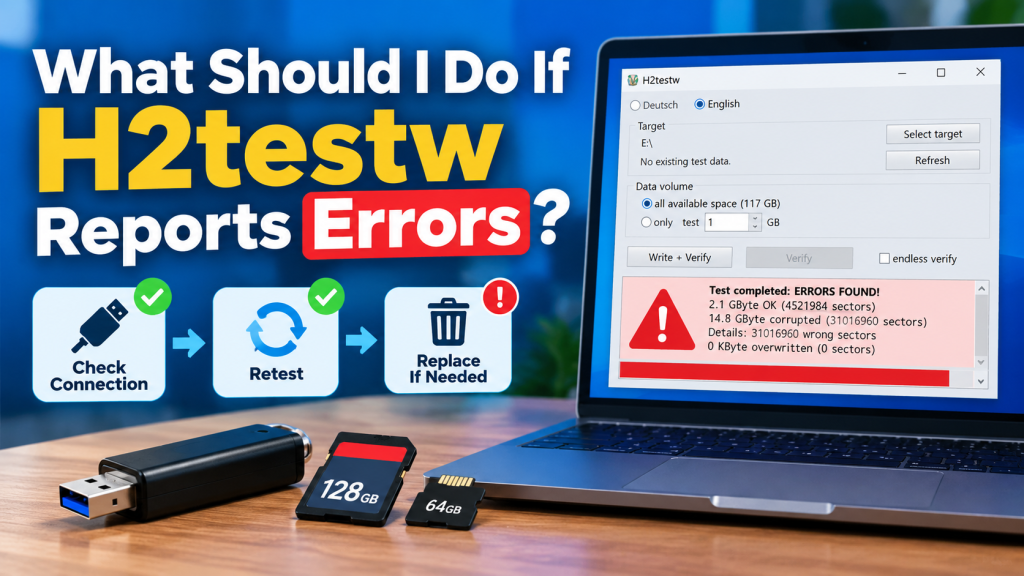
H2testw reports errors when the data written to a storage device cannot be read back correctly or does not match the original test data. This can happen because of fake capacity, damaged flash memory, a faulty USB port, a bad card reader, file-system problems, or an unstable connection during testing.
Seeing errors does not always mean the device is counterfeit, but it does mean the result should be taken seriously. Before using the drive for important files, it is a good idea to identify the cause, repeat the test carefully, and avoid trusting the storage until the problem is understood.
Read the Error Message Carefully
The first step is to review the result shown by H2testw. The report may indicate how much storage was verified successfully and how much data was corrupted, lost, or unreadable.
This information can help you understand whether the problem affects only a small part of the drive or a large portion of its reported capacity. Repeated errors at the same point are especially important.
Back Up Important Files Immediately
If the storage device already contains important files, copy them to another reliable location before doing anything else. A drive that fails verification may already be unstable.
Do not use the failing device as the only copy of photos, documents, videos, backups, or work files. If the memory is deteriorating, further use may lead to additional corruption.
Check the USB Port or Card Reader
Sometimes H2testw errors are caused by the connection rather than the storage device itself. A damaged USB port, loose connector, low-quality hub, or unreliable card reader can interrupt data transfers.
Try connecting the device directly to another USB port on the computer. For SD or microSD cards, using a different trusted card reader can help determine whether the original reader is causing the problem.
Repeat the Test From the Beginning
After checking the connection, run H2testw again. A second complete test can help confirm whether the errors are consistent or were caused by a temporary problem.
If the same errors appear again at similar storage locations, the device itself is more likely to be defective or falsely reporting its capacity. Consistent failures should not be ignored.
Test All Available Space
A partial test may not show the full extent of the problem. If possible, test all available storage so H2testw can check nearly the entire usable area of the drive.
Full testing is particularly important when fake capacity is suspected. A counterfeit drive may work normally within its real memory limit and begin producing errors only after that limit has been exceeded.
Watch for Fake Capacity Signs
Fake-capacity storage devices often show a much larger size in Windows than they physically contain. H2testw may report that only part of the drive is usable while the remaining space contains corrupted or overwritten data.
Common warning signs include:
- Errors starting after a specific storage amount
- Large amounts of corrupted test data
- Files becoming unreadable after copying
- Storage showing much more capacity than expected
- Extremely slow write speeds
- Repeated failures during full verification
If several of these signs appear together, the device may be fake or seriously defective.
Format the Drive and Test Again
If you suspect a file-system issue, you can back up important files and reformat the device before running another H2testw test. Formatting removes existing data, so only do this after saving anything valuable.
A clean format can sometimes eliminate file-system-related problems. However, formatting cannot repair fake capacity or physically damaged flash memory.
Compare Results After Retesting
The most useful comparison is whether the same storage area fails repeatedly. If one test reports a problem around the same capacity as another test, that pattern suggests a genuine hardware issue.
If the second test completes successfully after changing the port or reader, the original connection may have been responsible. Consistent testing conditions make the result easier to interpret.
What Different Error Patterns May Mean
Different H2testw results can point toward different types of problems. Understanding the pattern can help you decide what to do next.
| Error Pattern | Possible Cause |
|---|---|
| Errors after a fixed capacity | Fake or limited real storage |
| Random errors across the drive | Damaged flash memory |
| Test stops or disconnects | Connection or hardware problem |
| Errors disappear with another port | Faulty USB port or hub |
| Errors disappear with another reader | Problematic card reader |
These are common possibilities, not absolute diagnoses, so repeating the test is still useful.
Should You Keep Using the Drive?
A storage device that repeatedly fails H2testw should not be trusted with important information. Even if some of its capacity still works, unreliable storage can cause silent corruption later.
For temporary or non-important files, some users may continue using a partially working device, but this carries risk. Replacing the device is generally safer when important data is involved.
Can Bad Sectors Be Repaired?
H2testw is primarily a testing tool, not a repair utility. It can identify areas that fail verification, but it does not restore damaged flash memory or fix counterfeit capacity.
Some file-system errors can be corrected by formatting or Windows disk tools, but physical memory damage usually cannot be repaired reliably. Hardware problems often require replacing the device.
What If the Drive Is New?
If a newly purchased USB drive, SD card, or microSD card repeatedly fails a full H2testw test, consider returning or exchanging it.
Keep screenshots or copied test results if you need evidence for a refund request. A new storage device should not require you to accept unreliable or corrupted capacity.
Conclusion:
H2testw errors should be treated as a warning that the tested storage may not be reliable. Start by backing up important data, checking the connection, trying another port or reader, and repeating a full write-and-verify test.
H2testw can help distinguish temporary connection problems from consistent storage failures. If errors continue after retesting, the safest option is usually to stop trusting the device and replace or return it before valuable data is lost.