
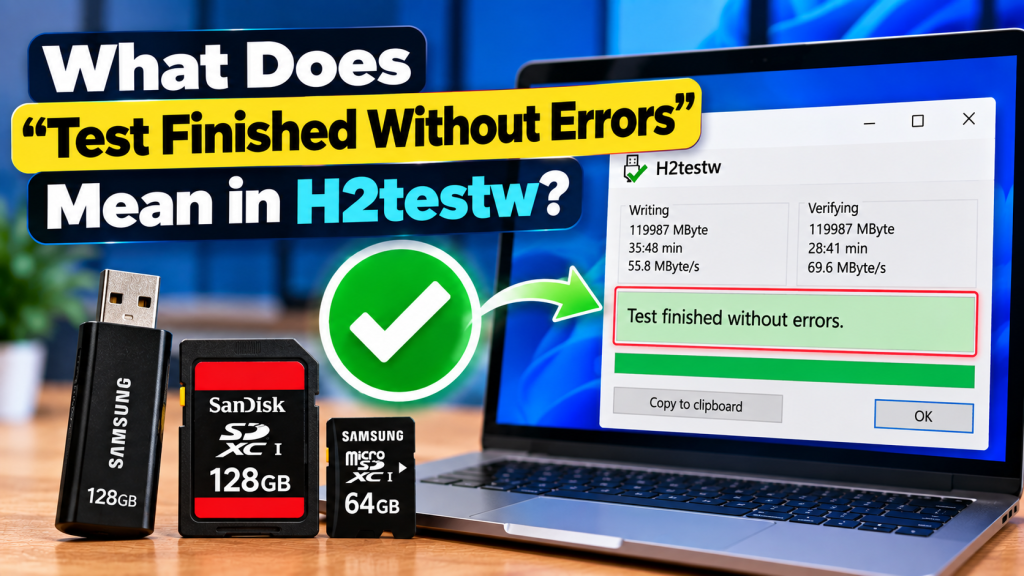
H2testw shows the message “Test finished without errors” when the storage space it tested successfully passed both the writing and verification stages. In simple terms, the program was able to write test data to the selected drive and read the same data back correctly without finding corruption or mismatches.
This result is generally a positive sign for USB drives, SD cards, and microSD cards. It suggests that the tested portion of the storage was functioning properly at the time of the test, although it should not be treated as a permanent guarantee that the device will never fail.
What H2testw Checks Before Showing This Message
H2testw first writes test files across the selected amount of free storage. These files are created to check whether the drive can actually accept and hold data throughout the area being tested.
After the writing stage, the program reads the files back and compares them with the original test data. If the information matches correctly, H2testw can complete the test without reporting verification errors.
Why This Result Is a Good Sign
A successful result means that the tested space was able to store data and return it correctly. This is more useful than simply checking the capacity shown in Windows because H2testw performs a real write-and-read test.
For a newly purchased USB drive or memory card, this can provide extra confidence before important files are stored on it. It is especially useful when checking devices that may have suspiciously high capacities or unusually low prices.
Does “Without Errors” Confirm the Full Capacity?
It depends on how much storage you selected for the test. If you tested all available space, the result provides much stronger evidence that the device can use its reported free capacity correctly.
If you tested only a small portion, the message applies only to that selected area. A fake or damaged device could still contain problems in the untested part of the storage.
What Happens During Verification?
During verification, H2testw reads the test files created earlier and checks whether the stored data still matches what was originally written. Any difference can indicate corrupted, missing, or overwritten information.
When no mismatches are found, the software completes the process successfully. That is when users may see the “Test finished without errors” message in the results window.
Can a Fake USB Drive Still Pass a Small Test?
Yes, a fake-capacity drive may pass if the tested amount stays within its real physical memory. For example, a drive that actually contains 16 GB could successfully pass a 4 GB test even if it falsely claims to be 128 GB.
This is why full-capacity testing is important when the goal is to detect fake storage. Testing all available space gives H2testw a better chance of reaching the point where false or unusable capacity begins.
What Does a Clean Result Tell You?
A clean H2testw result usually means the tested storage area was readable, writable, and internally consistent during the test. This is useful when deciding whether a storage device appears reliable enough for normal use.
A successful test can indicate:
- Test data was written successfully
- Test files were read back correctly
- No verification mismatches were detected
- No corrupted test blocks were found
- The tested capacity behaved as expected
- The storage passed the test at that time
These points make the result useful, but they do not replace regular backups for important files.
Does a Successful Test Mean the Drive Is Perfect?
No storage test can guarantee that a device will remain healthy forever. Flash memory can wear out, controllers can fail, and physical damage can occur after the test has been completed.
H2testw only confirms what happened during the specific write-and-verify session. A drive that passes today can still develop problems later, especially if it is heavily used or physically damaged.
Why Testing the Whole Drive Matters
Testing the entire available space gives a more complete picture of the device. Problems with fake capacity or damaged memory often appear only after a large amount of data has been written.
A short test may miss those areas entirely. For users who want stronger confidence in a new USB drive or memory card, a complete test is generally more informative than testing only a few gigabytes.
What If the Drive Passes but Feels Slow?
A successful H2testw result focuses mainly on data integrity and tested capacity. It does not automatically mean that the device has fast performance.
Some genuine storage devices may still have slow write or read speeds. If speed is important, performance should be evaluated separately from the successful H2testw capacity result.
Should You Delete the H2testw Test Files?
After the test finishes successfully, H2testw may leave its test files on the storage device. These files are no longer needed unless you want to perform another verification using the same data.
You can remove the test files after reviewing the results. Doing so frees the storage space so the drive can return to normal use.
What If Errors Appear on a Later Test?
If a device passes once but later reports errors, the storage may have developed a fault, or another issue may be affecting the connection. Repeating the test using a different port or card reader can help rule out external problems.
Repeated failures should be treated seriously. A device that begins producing verification errors should not be trusted with important photos, documents, backups, or other valuable data.
Conclusion:
H2testw showing “Test finished without errors” means the tested storage completed the write-and-verify process without detected corruption. It is a positive result and provides useful evidence that the tested area was functioning correctly at the time of the test.
H2testw is most informative when all available space is tested, especially when checking for fake or defective storage. Even after a successful result, regular backups are still important because no single test can guarantee that a storage device will remain reliable forever.